Choose the room
Upload a customer room or open one of the brand’s curated sample rooms.
Choose the room, rug and size; Homarvia places the product on the floor. Move it, rotate it, compare it and see the result before you buy.
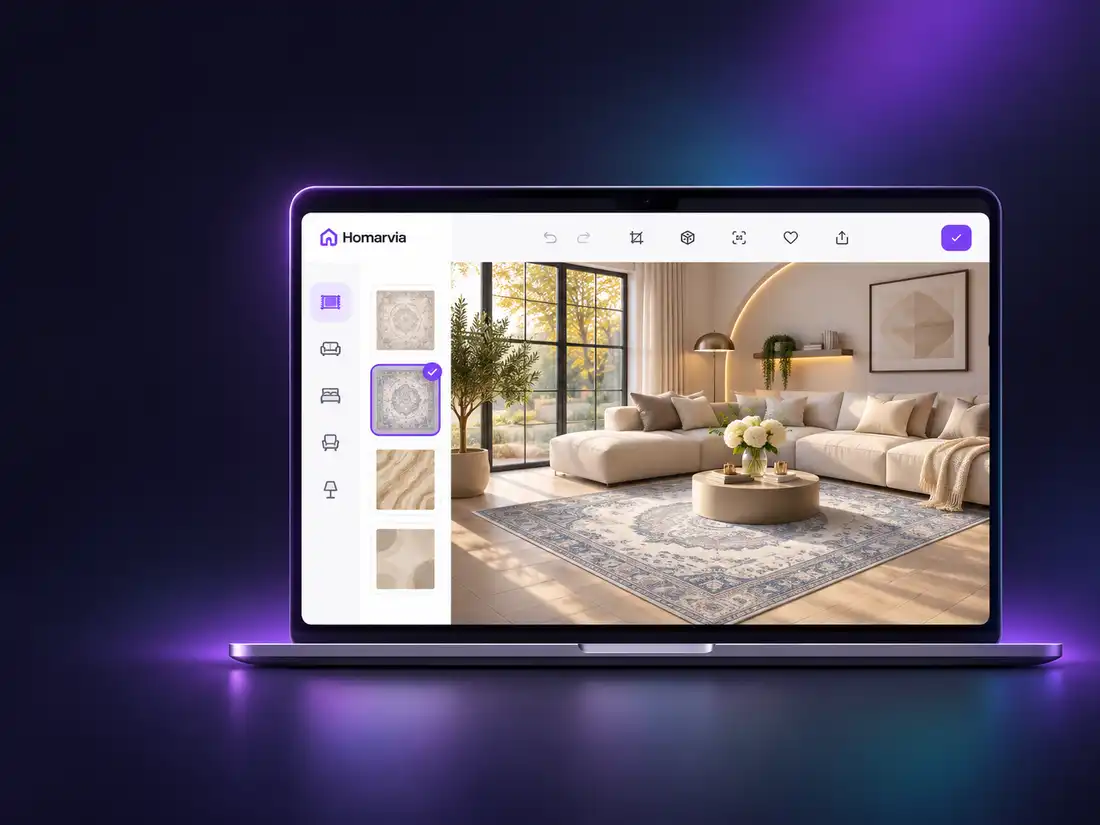
The experience does not explain the technology—it shows the result. Choose a room, select a catalog rug and size, then place it on the floor and fine-tune the position with move and rotate controls.
The animation illustrates the product journey. Open the live demo for the real Homarvia experience.
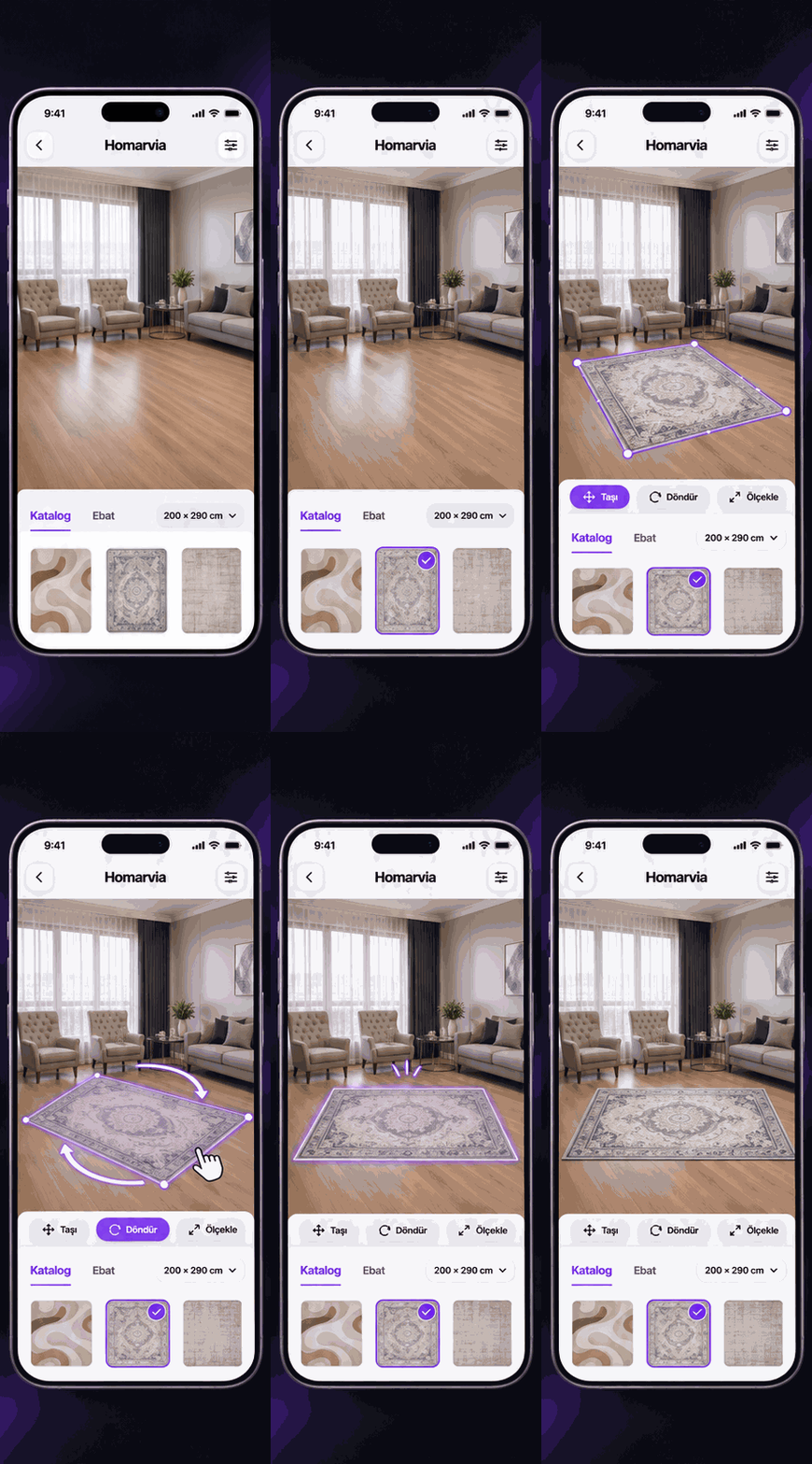
Reveal or hide the rug and compare how the room changes in one movement. In the live Visualizer, catalog products are placed at the selected Variant size while perspective and furniture overlap are preserved.
Try the live demo ↗It runs in the browser. No app is required.
Upload a customer room or open one of the brand’s curated sample rooms.
Published Product and Variant choices come from the real catalog.
Move, rotate, resize, compare and share the result.
Homarvia combines product, color and size data with visualization, publishing and branded deployment.
Physical size comes from the selected Variant, never from the image aspect ratio.
Shoppers upload a photo from mobile or desktop and evaluate the product in context.
The rug appears beneath tables, sofas and foreground objects for a more natural result.
Transparent product silhouettes are supported; the experience is not limited to rectangles.
Users can place and control more than one rug in the same room.
Mobile AR handoff, before/after, sharing and PNG export support the customer journey.
Shoppers want to know whether the pattern suits their room, how the selected size fills the space and how the rug relates to their furniture. When those questions stay unanswered, hesitation, abandoned carts and return risk grow.
A studio image or a single lifestyle photo cannot explain the result in every customer’s home.
The difference between 160×230 and 200×290 is not always clear from product-page numbers.
Static galleries—especially on mobile—do not invite shoppers to test and compare products.
When scale, color or placement feels different at home, dissatisfaction and return risk increase.
A visualizer does not guarantee a commercial result on its own. It helps shoppers evaluate the product in context before committing—creating a measurable step between product discovery and purchase.
Room upload, product selection, sizing, rotation and comparison turn passive product views into active exploration.
When the in-room result becomes clearer, shoppers can approach the cart or sales team with greater confidence.
Size, pattern and placement can be evaluated earlier, reducing the risk of dissatisfaction caused by a visual mismatch.
We tailor the value story to each operational and commercial context.
Homarvia provides a hosted Visualizer that preserves tenant branding, published catalog context and selected Product/Variant information.
See the integration modelVisitor room images are processed request-locally and are not added to the tenant’s persistent product-media catalog.
Room images do not enter the product catalog storage workflow.
Published products and brand experiences stay in the correct tenant context.
Server-to-server secrets and service credentials are never exposed to the browser.
We review product imagery, Variant structure and your website journey, then define a measurable pilot scope.